Modern work doesn't happen in one app anymore. Designers move through Figma, Safari, and Slack. Developers jump between VS Code, GitHub, and AI chats. Founders weave through email, Notion, and Stripe.
The real work happens in the space between your tools — and every switch has a cost. Each move (an app, a tab, a file) makes your brain reload its context. That invisible tax has a name: context switching.
The quiet tax of modern work
Context switching is when your attention shifts before a task is done. A Slack ping. A copied link. A screenshot you need to find again. Each transition asks your brain to stop, unload, and reload.
These resets are small on their own. Together, they're why modern work feels less like a few big interruptions and more like a thousand tiny ones.
AI raised the value of context
AI tools are fast — but they ask more of you. A good result depends on the right prompt, the right file, the right source, pulled from Safari, ChatGPT, Claude, and a PDF you had open a minute ago.
You're not just doing the work now. You're conducting it. The human has quietly become the carrier of context.
Your brain wasn't built for endless reloading
Switching doesn't only cost time — it costs focus. Every reload rebuilds your goals, your steps, your constraints. That "wait, what was I doing?" is exactly where productivity leaks away.
You don't need a half-hour interruption to feel it. The fog after switching windows is enough.
A shelf for the pieces in between
Tansei is a simple, unobtrusive shelf for your Mac — a place for the active pieces of your work: text, links, images, files, code, colors, notes, screenshots, prompts. The things you need now, and again soon.
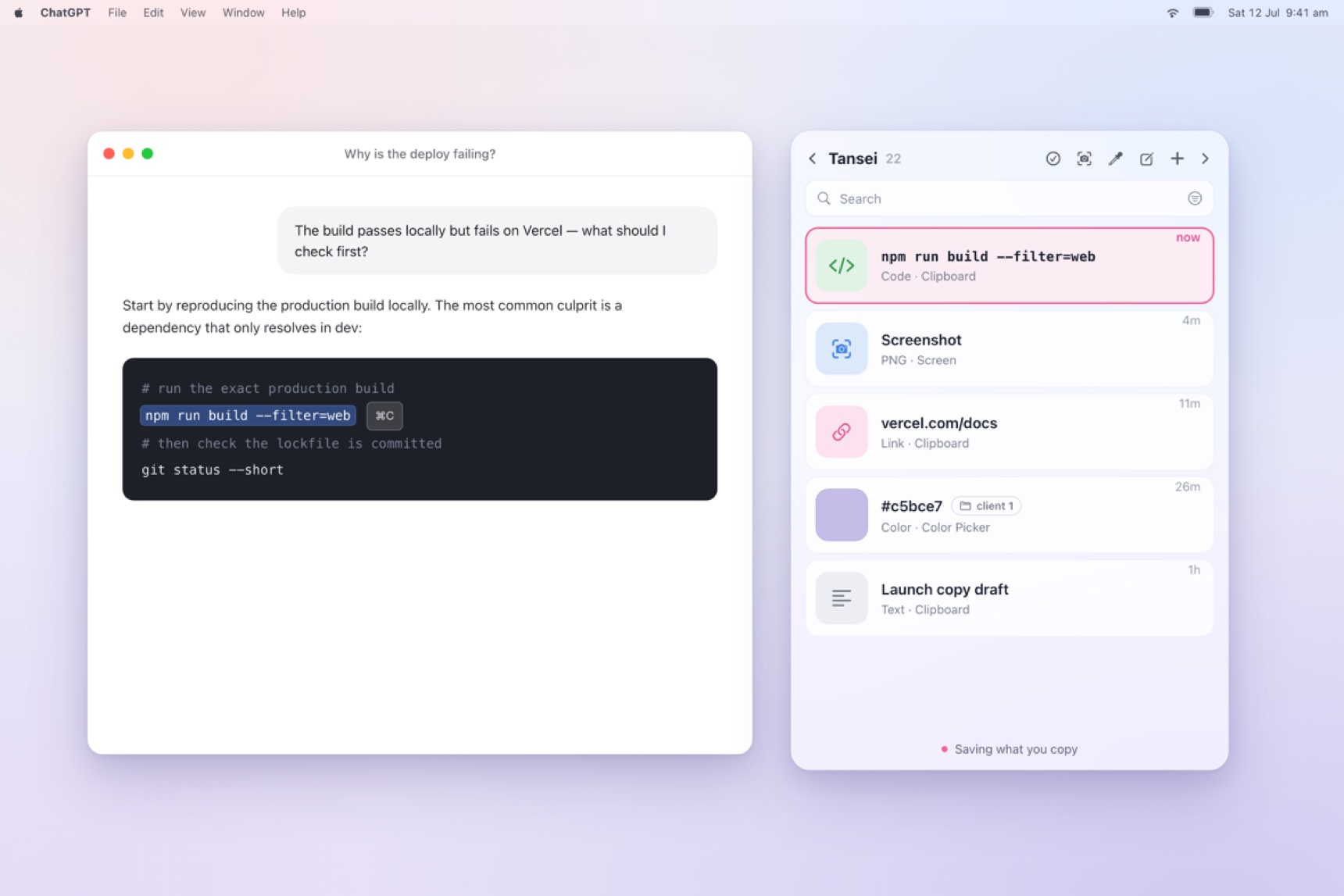
It sits close by, holding the small details so your mind can stay on the big picture. And it's local-first: your shelf stays on your Mac. No account, no cloud, no tracking — the most private, immediate place for your work is your own machine.
Switch without losing the thread
- Keep active materials visible, so your brain doesn't have to hold them.
- Capture first, organize later — only when it earns it.
- Pull the important things out of tabs and keep them close.
- Treat prompts and sources as real work materials.
- Reset when a task is done, so you return to a clean start.
Productivity isn't more apps. It's continuity — how quickly you move from one thought to the next without losing your stride.
Tansei helps your Mac remember the small things, so your mind can stay with the big ones.
Close enough to use. Light enough to ignore.
↑ Back to top